

Skip to content
View in the app

A better way to browse. Learn more.

W3D Hub

A full-screen app on your home screen with push notifications, badges and more.

To install this app on iOS and iPadOS
  1. Tap the Share icon in Safari
  2. Scroll the menu and tap Add to Home Screen.
  3. Tap Add in the top-right corner.
To install this app on Android
  1. Tap the 3-dot menu (⋮) in the top-right corner of the browser.
  2. Tap Add to Home screen or Install app.
  3. Confirm by tapping Install.

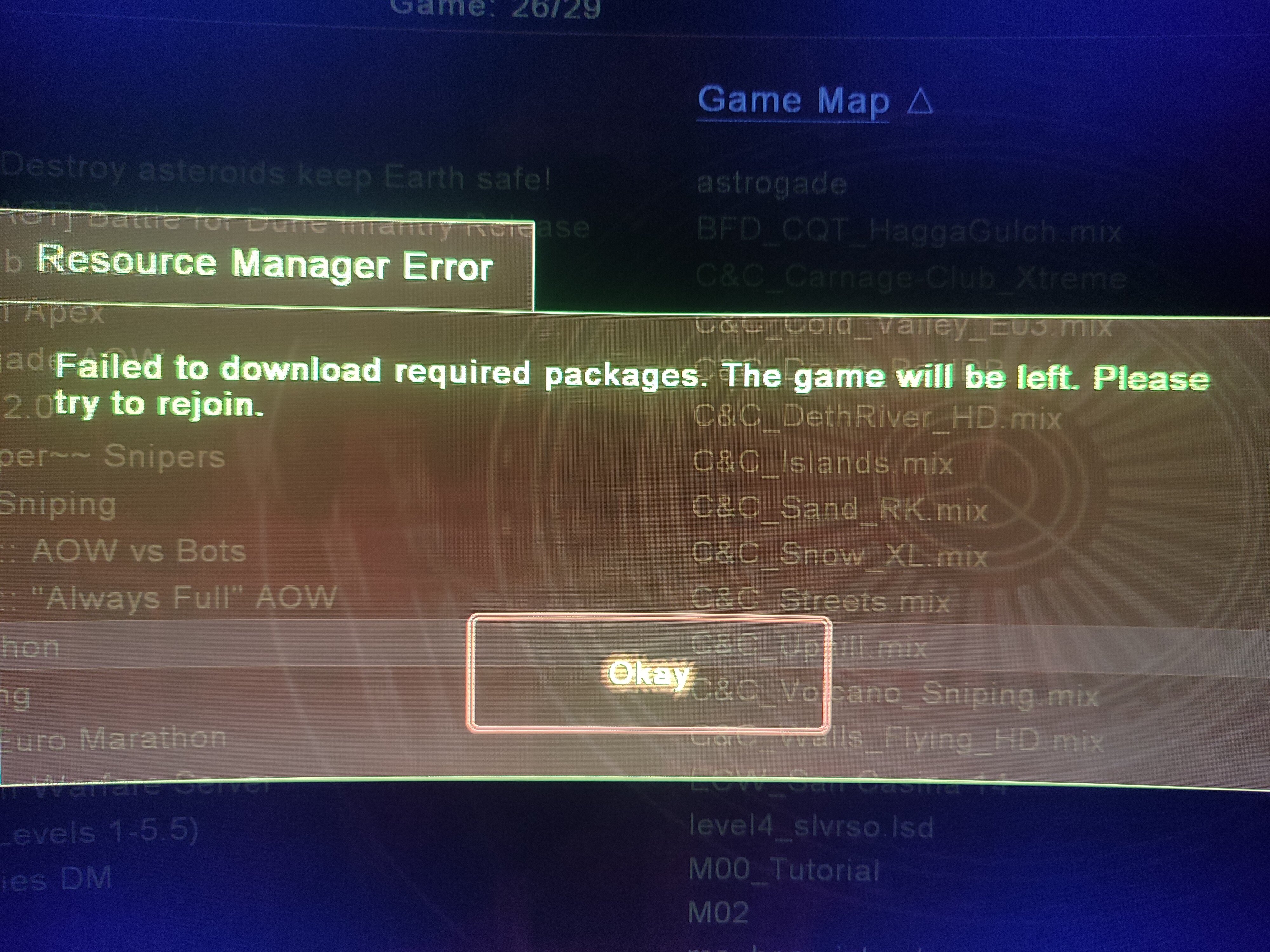
Failed to download required packages. The game will be left. Please try to rejoin

  • Closed (Other)
  • Severity: Medium
  • Game Area: Other

Recently, I wanted to return to Renegade multiplayer, but I encountered an error: "Failed to download required packages. The game will be left. Please try to rejoin." I reinstalled Ren and patch TT, but that didn't help. Then I started looking for solutions and deleted the ttfs folder, but that didn't help either. I tried to restore that folder by reinstalling everything, but the folder didn't appear. What should I do?

 
I can join certain servers, but not RenCorner. Also, when I was playing Ren, I was plagued by the error "Failed to connect to the backend." However, I resolved that a while ago dancing with a tambourine
 
Computer model: N5 Of, Windows 10, modern components, and sufficient disk space.


Attachments
Attachments:
User Feedback

Recommended Comments

This is an issue you need to solve with RenCorner. We cannot do anything about it, sorry.

Join the conversation

You can post now and register later. If you have an account, sign in now to post with your account.
Note: Your post will require moderator approval before it will be visible.

Guest
Unfortunately, your content contains terms that we do not allow. Please edit your content to remove the highlighted words below.
Add a comment...

Account

Navigation

Search

Search

Configure browser push notifications

Chrome (Android)
  1. Tap the lock icon next to the address bar.
  2. Tap Permissions → Notifications.
  3. Adjust your preference.
Chrome (Desktop)
  1. Click the padlock icon in the address bar.
  2. Select Site settings.
  3. Find Notifications and adjust your preference.