

Skip to content
View in the app

A better way to browse. Learn more.

W3D Hub

A full-screen app on your home screen with push notifications, badges and more.

To install this app on iOS and iPadOS
  1. Tap the Share icon in Safari
  2. Scroll the menu and tap Add to Home Screen.
  3. Tap Add in the top-right corner.
To install this app on Android
  1. Tap the 3-dot menu (⋮) in the top-right corner of the browser.
  2. Tap Add to Home screen or Install app.
  3. Confirm by tapping Install.

ALTEREGO

Member
  • Joined

  • Last visited

  1. Ok got it figured out thanks guys it was a combination of operator error
  2. ok ill see if the invite works thanks
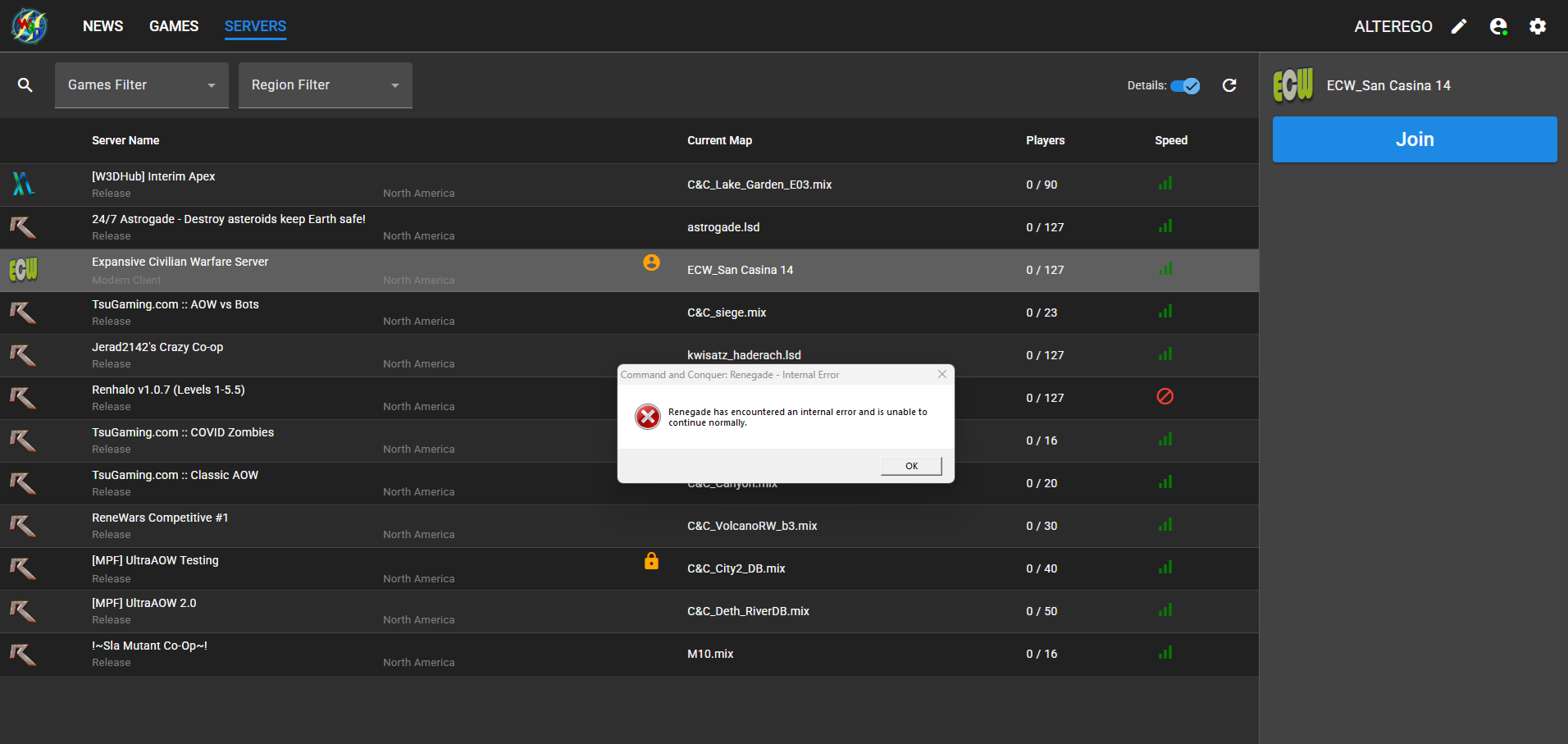
  3. Ok yes I have joined servers that have loaded the map in to my data files but if i try to join any tsugaming server i get a a black screen and no game same with others the only server i can get on is xl w3D
  4. ALTEREGO started following Renagade Maps
  5. Seems like I can't log into certain servers that have your normal stock maps did I miss something ?
Account

Navigation

Search

Search

Configure browser push notifications

Chrome (Android)
  1. Tap the lock icon next to the address bar.
  2. Tap Permissions → Notifications.
  3. Adjust your preference.
Chrome (Desktop)
  1. Click the padlock icon in the address bar.
  2. Select Site settings.
  3. Find Notifications and adjust your preference.