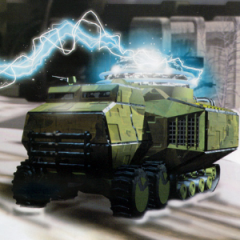
October 27, 20224 yr Popular Post Tomsons26 showed a link in archive containing stock 3D models that were sold at the time and the pack just so happens to have models that are very similar or the same as various C&C units and buildings from TD to RA2. It even has the single barrel heavy tank model which meant WW most likely bought the model and modified it to have 2 guns for the cutscenes to save time, I really would like to see a mod for APB to replace the one in-game with this one but with the fixed double barrels! https://archive.org/details/VPmodelcoll Not sure where the Heavy Tank model is but I assume it's in the zipped folder "Viewpoint 3D Models Platinum" under Military sub folder. I don't have the software to open this stuff. In their homepage it looks like they took commissions and WW probably hired them for the majority of their CGI assets. If more CD's are found we could probably find even more models WW used for their cutscenes. http://web.archive.org/web/20001205083800/http://www.viewpoint.com/ Edited October 27, 20224 yr by Chad1233


Join the conversation
You can post now and register later. If you have an account, sign in now to post with your account.
Note: Your post will require moderator approval before it will be visible.