Skip to content
View in the app

A better way to browse. Learn more.

W3D Hub

A full-screen app on your home screen with push notifications, badges and more.

To install this app on iOS and iPadOS
  1. Tap the Share icon in Safari
  2. Scroll the menu and tap Add to Home Screen.
  3. Tap Add in the top-right corner.
To install this app on Android
  1. Tap the 3-dot menu (⋮) in the top-right corner of the browser.
  2. Tap Add to Home screen or Install app.
  3. Confirm by tapping Install.

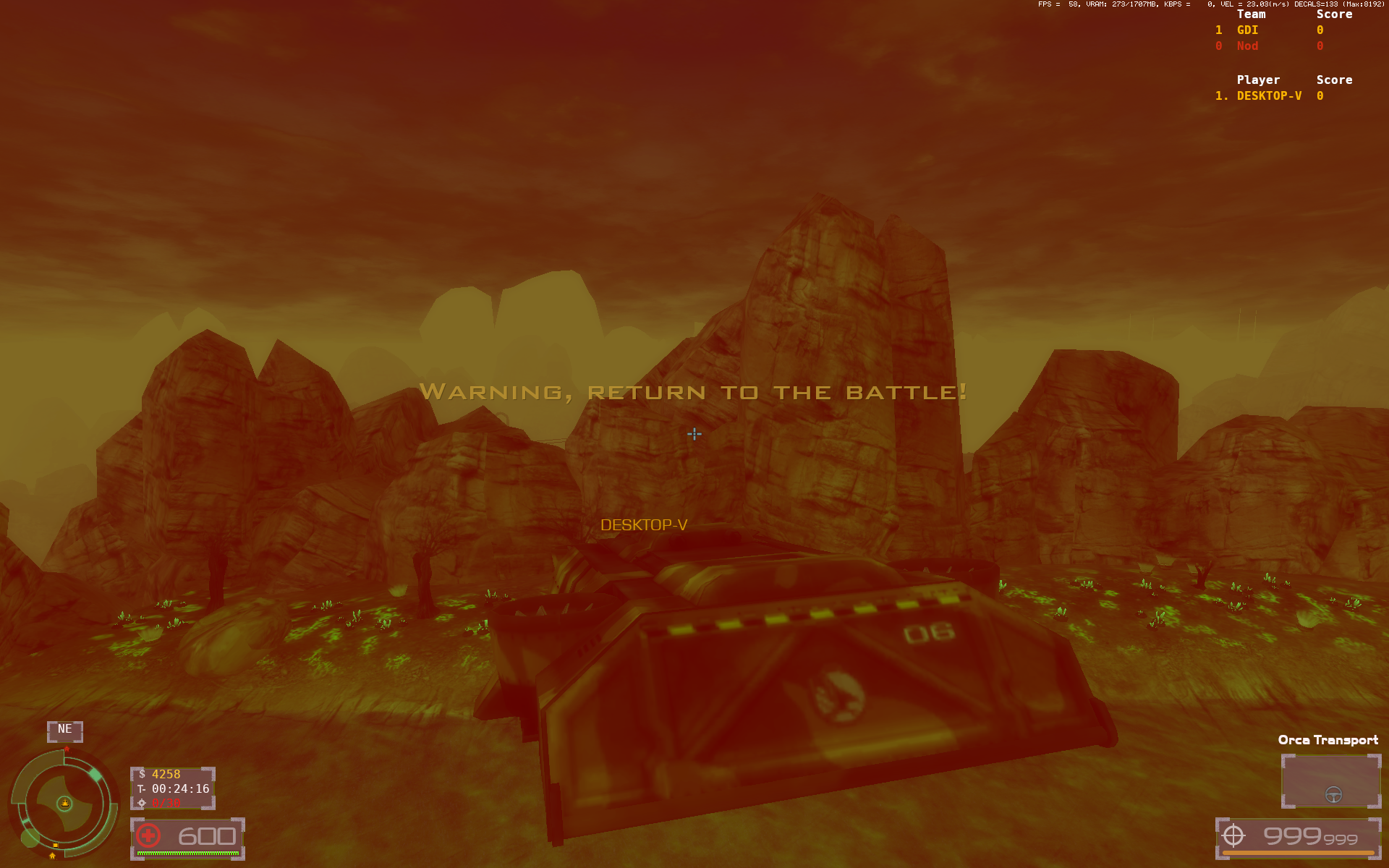
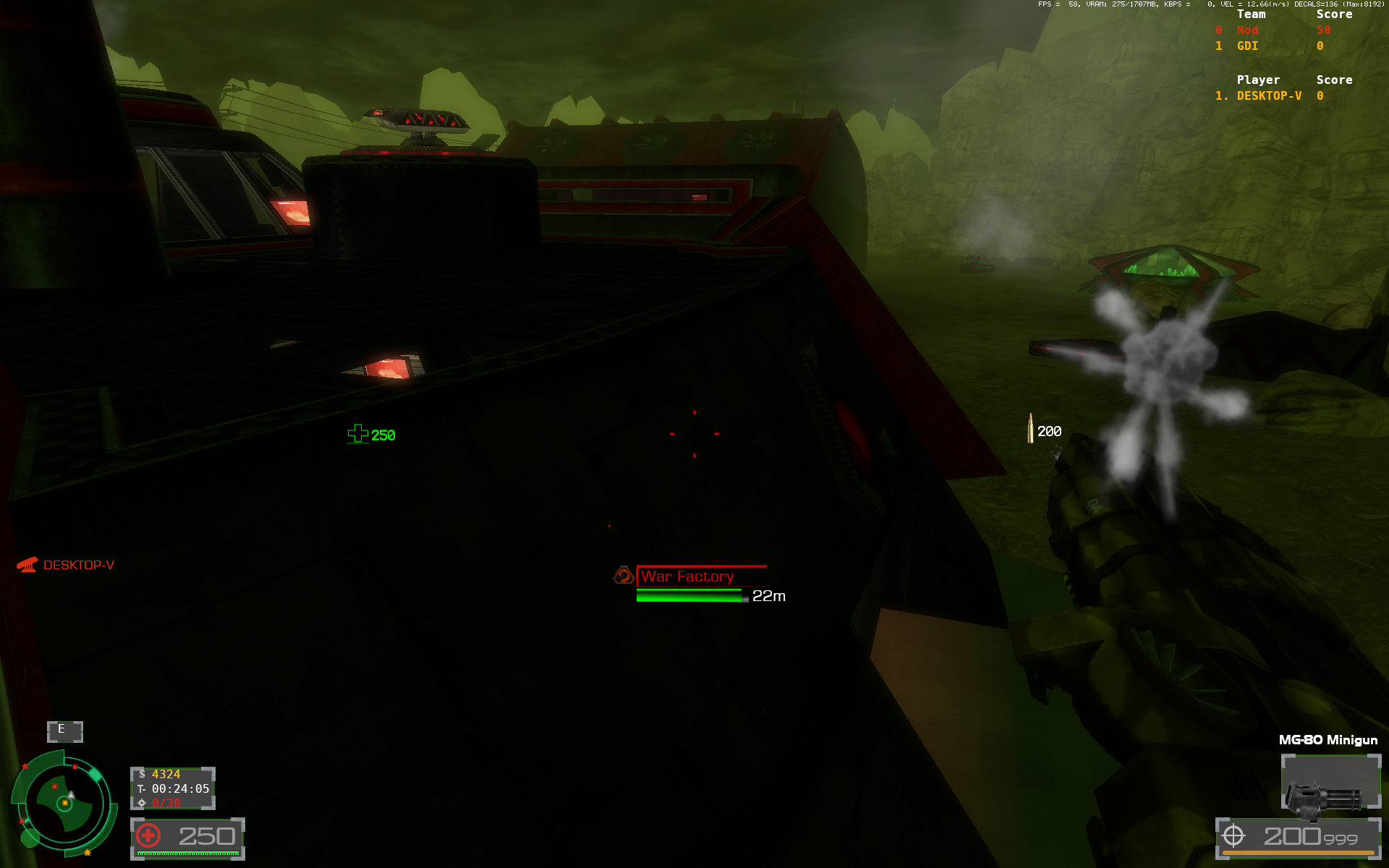
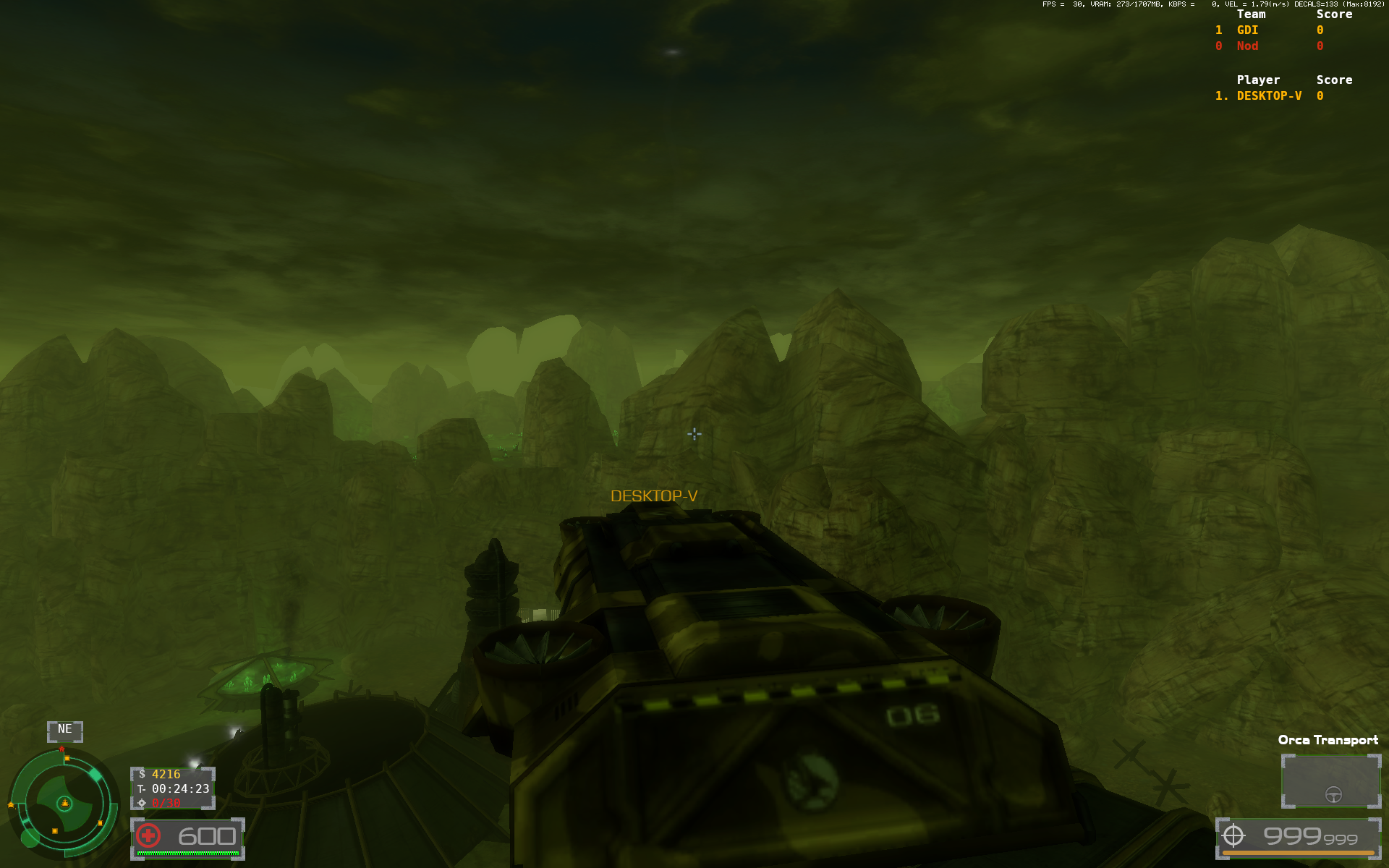
Insane flying rush path to either of enemy base on Field_Flying

  • Version: 2.0.3.4
  • Closed (Other)
  • Severity: Medium
  • Game Area: Maps

Both bases on Field_Flying can be easily accessed by flying over a ridge dividing both bases (which is kill zone at the moment). Especially orca transport rush can be quite severe, as Nod War Factory can be accessed extremely easily, so as CY. GDI wouldn't even have to access MCT to quickly kill the building, if they land on top of it.


Attachments
Attachments:
User Feedback

Recommended Comments

Changed Status to Closed (Other)

Changed Attachments to https://w3dhub.com/forum/uploads/monthly_2024_05/Zrzutekranu(345).png.67a7aec672966b04528637c865d81ac6.png,https://w3dhub.com/forum/uploads/monthly_2024_05/Zrzutekranu(346).png.8045dc3ee1d230951434563446ebae46.png,https://w3dhub.com/forum/uploads/monthly_2024_05/Zrzutekranu(347).png.ff111e1fcbcb73a2a43c015c92eec610.png

ryknow69

Former Staff
Orca Transports have been removed though, to help

Join the conversation

You can post now and register later. If you have an account, sign in now to post with your account.
Note: Your post will require moderator approval before it will be visible.

Guest
Unfortunately, your content contains terms that we do not allow. Please edit your content to remove the highlighted words below.
Add a comment...

Account

Navigation

Search

Search

Configure browser push notifications

Chrome (Android)
  1. Tap the lock icon next to the address bar.
  2. Tap Permissions → Notifications.
  3. Adjust your preference.
Chrome (Desktop)
  1. Click the padlock icon in the address bar.
  2. Select Site settings.
  3. Find Notifications and adjust your preference.