




Skip to content
View in the app

A better way to browse. Learn more.

W3D Hub

A full-screen app on your home screen with push notifications, badges and more.

To install this app on iOS and iPadOS
  1. Tap the Share icon in Safari
  2. Scroll the menu and tap Add to Home Screen.
  3. Tap Add in the top-right corner.
To install this app on Android
  1. Tap the 3-dot menu (⋮) in the top-right corner of the browser.
  2. Tap Add to Home screen or Install app.
  3. Confirm by tapping Install.

Interim Apex Funny Strings/Names (UPDATED 03/28/2023) 1.2.3

(1 review)

4 Screenshots

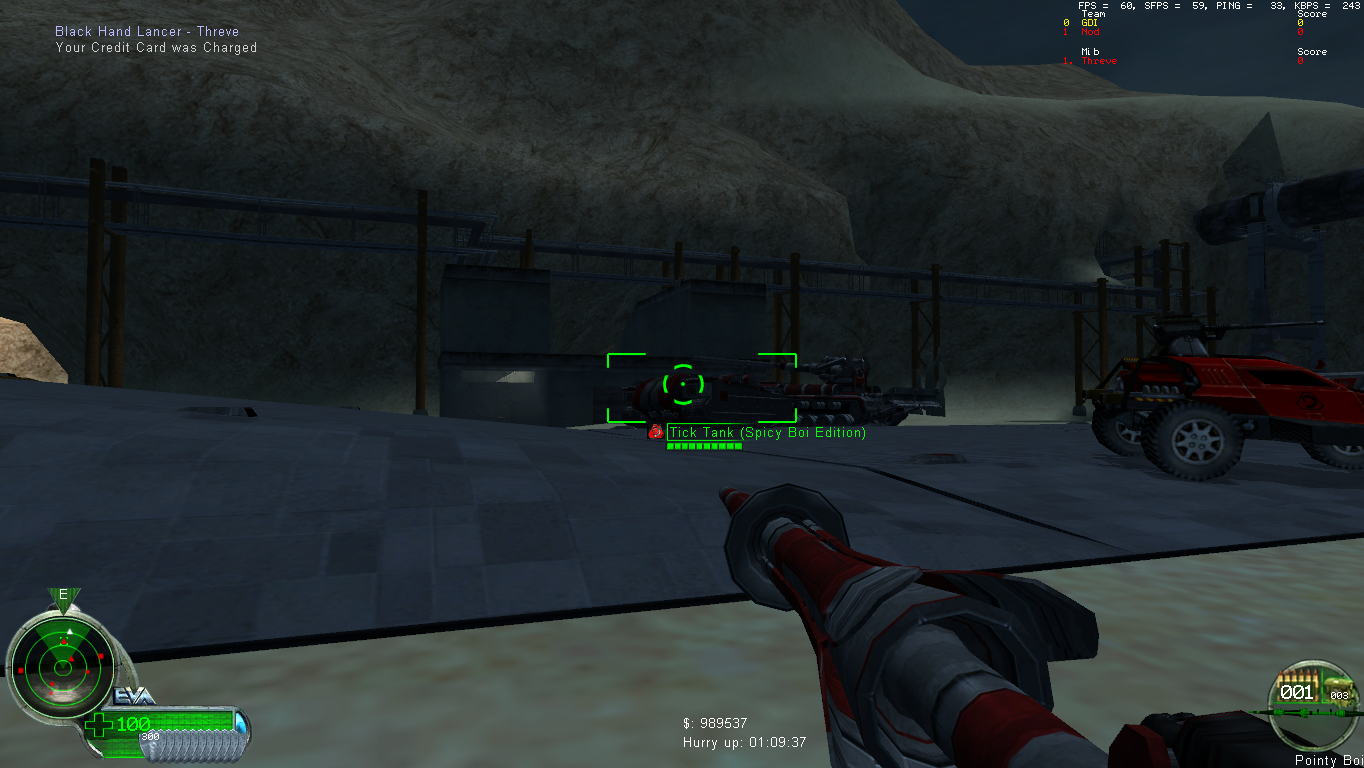
This file changes the strings or names of everything into comedic funny things. There is quite alot of names to explore! The names of things when you kill stuff remains server side and the same therefore it doesn't get confusing. To install simply drop the file here.

ThisPC > LocalDisk C: > Program Files (x86) > W3DHub > Games > ia release > IAFiles > InterimApex > ttfs > files

Drop them in and start playing. Enjoy! 

What's New in Version 1.2.3

Released

Small update

User Feedback

You may only provide a review once you have downloaded the file.

   1 of 1 member found this review helpful 1 / 1 member

One Spicy Boi

Account

Navigation

Search

Search

Configure browser push notifications

Chrome (Android)
  1. Tap the lock icon next to the address bar.
  2. Tap Permissions → Notifications.
  3. Adjust your preference.
Chrome (Desktop)
  1. Click the padlock icon in the address bar.
  2. Select Site settings.
  3. Find Notifications and adjust your preference.