


Brigitte
Member
-
Joined
-
Last visited
Everything posted by Brigitte
-
Maybe
-
A SACRIFICE THAT WAS REQUIRED FOR THE MANY REASON I DONT NEED TO GO BACK INTO AGAIN : ) : ) : ) : ) (Still, fuck you) Okay i'll stop being an antagonistic asshole.
-
English motherfucker , do you speak it.
-
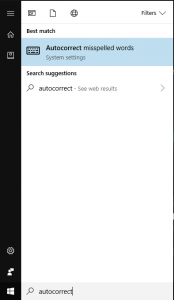
Literally type in autocorrect
-
I died though, asshole.Ooo thanks for that forum (it cached my previous reply for some reason!)What's a postcount Fuck you for pokemafia.##Lynch TheIrishman Fuck you for pokemafia.?I mean, 6 people voting the same guy for Lynch6 people for hammer, right?Who? ##vote ShadeWhy did you DisappearHi dadWhat? he looked at me funny.##Eradicate @VoeWuss.I'm not afraid if you.Why do you have to put labels on everythingHave you considered Black widow is just a bad-ass bitch?There are so many role claim attacks already, you guys are nutsI feel violatedSigh, Fucking Jeod.Like, i want to watch the trailer, but they give away so much of the plot.


