Skip to content
View in the app

A better way to browse. Learn more.

W3D Hub

A full-screen app on your home screen with push notifications, badges and more.

To install this app on iOS and iPadOS
  1. Tap the Share icon in Safari
  2. Scroll the menu and tap Add to Home Screen.
  3. Tap Add in the top-right corner.
To install this app on Android
  1. Tap the 3-dot menu (⋮) in the top-right corner of the browser.
  2. Tap Add to Home screen or Install app.
  3. Confirm by tapping Install.

Blog #103

Featured Replies

Hey, sorry about no blog last week, we had a lot of real life stuff happen and so we were too busy but here we are with blog 103!


Atreides War Factory


LR01 has started work on the Atreides war factory interior. In this WIP shot you can see the start of a vehicle construction room, putting together a Mongoose!


mong.jpg


More to come on this next week!


Civilain Buildings


I've been trying my hand at modelling again, this time it's more civilian ruined buildings. It's fairly basic but serves it's purpose as a map prop and infantry cover.


blogshot1031.png

blogshot1032.pngblogshot1033.png


Team Notices


I've been busy with work and playing a new Source Warhammer 40k mod.


cnc95fan is around here somewhere..


LR01 has finished his exams and is back modding!


Peerawat9 is working on some new EVA sounds for us!


Something that made me laugh..


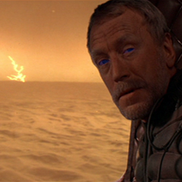
David, after drugs.


Hey, check out this video. I thought you might like to watch it.

David After Drugs


Atreidis WF == Awesomeness :p


Also i lol'd at David after drugs xD

Seriously omg >.<

Mongooses :p


And yeah, David after drugs is still awesome ;3

Neat stuff. I hope you make some really interesting areas for infantry to fight, inside.

Join the conversation

You can post now and register later. If you have an account, sign in now to post with your account.
Note: Your post will require moderator approval before it will be visible.

Guest
Unfortunately, your content contains terms that we do not allow. Please edit your content to remove the highlighted words below.
Reply to this topic...

Recently Browsing 0

  • No registered users viewing this page.

Account

Navigation

Search

Search

Configure browser push notifications

Chrome (Android)
  1. Tap the lock icon next to the address bar.
  2. Tap Permissions → Notifications.
  3. Adjust your preference.
Chrome (Desktop)
  1. Click the padlock icon in the address bar.
  2. Select Site settings.
  3. Find Notifications and adjust your preference.