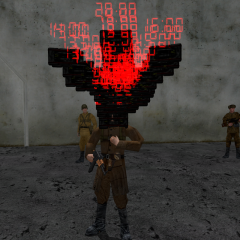
December 31, 20196 yr Popular Post Red Alert: A Path Beyond Update General Added another unit help system built off of Renegade's Encyclopedia system; this can be accessed by pressing F1, or the Unit Help button in the Esc menu. Right now this exists alongside the H system (and shares a lot of text) and I'm not sure if we'll ditch that. Fixed water protecting against falling damage. Fixed flickering on global radar markers (like the ones for bases and A-Bomb flares) when you move while they're outside normal radar range. Fixed sounds playing globally while loading into the game (which typically resulted in super-loud bursts of burning/alarm sounds). Vehicles that enter deep water now have their vision restricted by a thick blue fog/tint, just like diving submarines/infantry. Zoom with scoped weapons now works in 10 consistent steps, instead of being framerate-dependent in a weird way. A bunch of sounds have been imported from the Red Alert v0.09c beta: A sound for the MRJ/TT getting in range of the Radar Dome. This is now used for that purpose, instead of the old "radar down" sound. A sound for the Ore Truck dumping its load. An extended variant of the radar down sound. An extended variant of the submarine surfacing sound. An extended variant of the torpedo sound. An extended variant of the explosion sound for buildings damaged below 50% health. "It is done" voiceovers for basic Allied infantry. "Let's pick 'em clean", "Like candy from a baby" and "Time for a five-fingered discount" for the Thief. Bots Fixed bots still shooting certain parts of large buildings on some maps after the building is destroyed. Fixed bots being unable to use the Airfield elevator. Fixed bots strafing against MCTs, which would often cause them to lose sight of it, hindering their damage output. Fixed the game taking pity on anyone killed by a Grenadier bot and refusing to shame them on the killfeed. Fixed Flamethrower bots still trying to "splash" infantry as though they were using the old flamethrower; they will now go for direct hits. Bots now know how to shoot at silos and refill pads. (Not service depots though, because of an as-yet unresolved issue with limited-arc vehicles.) Bots aim a bit higher than before against most base defenses, except Tesla Coils/Gap Generators where they aim lower, towards the base. Bots now have a chance to drop a bit of banter/salt if they kill or are killed by a human player. Repairman bots now know how to disarm C4. Bots may now be ordered to focus on the AI ore truck with "Attack the Ore Truck"; they will not comply if it's too far away though. Updated what radio commands bots associate with what orders, to comply with APB's radio command layout instead of Renegade's: "Get in formation" is now what you use to tell bots to get in your vehicle, instead of "we need mines". "Move out" is now what you use to tell bots to eject from your vehicle, instead of "beware enemy mines". "Get out of my way" is now what you use to tell bots to stop following you, instead of "move out". "Bolster our defenses" is now what you use to tell bots to defend the base, instead of "attack their defenses". A-Bombs "A-Bomb Purchase Terminal" is now "A-Bomb Requisition Terminal", since you don't actually purchase them. Once you've used your A-Bomb flare, it won't show up on your belt anymore. A-Bomb flares can no longer be placed right next to the Airfield/Missile Silo elevators, as it was possible for them to get the elevators stuck. Infantry All forms of explosive splash damage (except the Artillery/V2) now inflict minor damage to infantry armour; 25% as much as the damage they deal to health. Artillery/V2 already dealt 50% armour damage so they are unaffected by this change. Infantry damage/death animations for damage-over-time effects (fire, electricity, drowning) actually work now. Repairmen Repair Tool is slightly weaker at repairing (16 -> 15 damage). Disarm/capture rate is unaffected. Demolitionists C4 takes 1 second to deploy again (was 0.25). Thief When in range of an enemy refinery/silo terminal, you will now get a chat and audio notification to let you know that you're in place to get to work. Flamethrower Direct damage to infantry increased (25 -> 30 per salvo). Inflicts greater damage to infantry armour (100% -> 150% of health damage). Vehicles Submarines Fixed dying while submerged not properly cleaning up the "vision restrictor", so you won't see black balls of doom around the map afterwards anymore. Tightened arc for Missile Sub's ballistic missiles a little bit; this improves their minimum range by about 10m. Damage for Missile Sub's AA missiles increased (60 -> 70). Helicopters Mouse steering for helis can now be toggled on/off in Options -> Controls -> Look/Mouse; it's now disabled by default. Helicopter husks now explode properly if they are killed right next to the water surface. Planes In a plane, while using the default control scheme, you can look around without changing direction by holding the same freelook key that infantry use (V by default). Make sure the skies ahead of you are clear before doing this, because you'll be stuck flying straight ahead until you go back to the normal camera. Fixed default key binding for landing gear. Planes can no longer be entered during their purchase cinematic (as control of the plane would be reset afterwards). Buildings Helipad Fixed broken helicopter refilling. Radar Dome When destroyed, it plays the Red Alert beta "radar down" sound to the team it belonged to. Maps Hostile Waters Moved SAM site at Soviet Gem Silo one wall-segment closer to the Airfield to make it easier to repair. Fixed texture blending near the Soviet Missile Silo. Pacific Threat / Seamist These maps are now bot-friendly to a degree, and will be introduced to the bot rotation on the server. Volcano Fixed missing base radar markers. [blurb]Happy New Year! This belated present for APB brings improvements to bots, sound effects from the Red Alert beta, a new help system, and bug fixes galore![/blurb][thumb]thumb_apb.k.png[/thumb]
December 31, 20196 yr Author If you have "no string" on the HUD where the time/money should be, then you probably have the smaller/larger HUD mod installed or some other sort of custom HUD; delete always3.dat (not 2 or 1 as those are required by the game!) and hud.ini if it's sitting loose, I'll see if I can update that mod to work with the new settings in a few days.
January 4, 20206 yr Hopefully people will find these aircraft controls to be a good middle-ground between the old and new ones.


Join the conversation
You can post now and register later. If you have an account, sign in now to post with your account.
Note: Your post will require moderator approval before it will be visible.