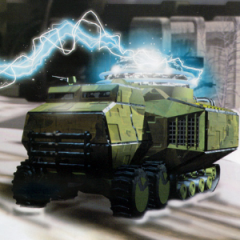
May 11, 20188 yr These would have been useful years ago but tomson extracted the 3D renders you see in PSX RA''s game stats screen spinning around which makes a nice reference for any modeler since it shows the sides and backs of all the buildings and units you never see. though they are only 64x38 some stuff can still be made out though they have a odd perspective. Also some structures like the War Factory have things never seen in-game or cut scenes like having chimneys and Soviet Barracks having a back door but the Allied tent doesn't plus others. psxscorescreen360renders.zip Edited May 11, 20188 yr by Chad1233
May 11, 20188 yr Also the airfield tower extending halfway across one of the runway lanes... no thanks, Yak pilots seem to be having enough trouble as it is
May 11, 20188 yr Author The ''Artillery'' looks like a poorly modeled SU-101(Cut Tank Destroyer unit maybe?) http://www.wardrawings.be/WW2/Files/1-Vehicles/Allies/2-USSR/05-TankDestroyers/SU-101/SU-101.htm And from what me and a friend could decipher the ''Light Tank'' looks a lot like the BMP-2 which is a Soviet amphibious tank with a TOW launcher they had on some. https://en.wikipedia.org/wiki/BMP-2 Edited May 11, 20188 yr by Chad1233
May 17, 20188 yr Author tomson26 hangs around the RA2 modding community I don't know where you would find him these days and I have no idea what he used.
October 10, 20188 yr tomsons26, actually. There's an s before the number Edited October 10, 20188 yr by Nyerguds
October 10, 20188 yr 6 hours ago, Nyerguds said: tomsons26, actually. There's an s before the number Holy necropost Nyerguds.


Join the conversation
You can post now and register later. If you have an account, sign in now to post with your account.
Note: Your post will require moderator approval before it will be visible.