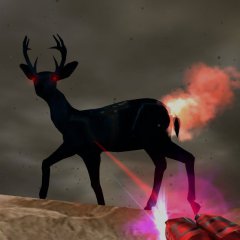
February 27, 20188 yr The ECW sewers are the peregrinations of a mad-man. Identical locations with identical graffitti, incorrect overhead signs and pathways that skip over other routes in ways that you don't suspect; even after you try to draw them. The sewers have now been tamed. Locations and directions are correct, however distances are only approximate (map is not to scale). Original .SVGz file (compressed svg, a vector format) contains high-res location screenshots and other details. Please report any errors or improvements you find when playing the game. This map should mostly be error-free, but occasionally you find a deer in the water. Map made using only legitimate gameplay, because it's more fun. If you know more than what's in the map, but only know of it because of methods such as viewing the map models or from flying outside the map, then please start a new thread to discuss your info. Don't ruin it for me too. ECW underground - release 01.svgz
February 28, 20188 yr On 2/27/2018 at 2:39 AM, Veyrdite said: but occasionally you find a deer in the water. Oh mang. Hey this looks good! I'll definitely be keeping it
February 28, 20188 yr Author Thanks Fraydo and Einstein. A few more points: There probably isn't a secret 'G-??' outlet, judging by the pattern of labels it's probably the petrol station. The game has no tunnel path labels for the petrol station, so I made up the 'PS' name. Black market entry requires a red keycard. I cannot confirm or deny any meta-secrets inside this map. Edited February 28, 20188 yr by Veyrdite


Join the conversation
You can post now and register later. If you have an account, sign in now to post with your account.
Note: Your post will require moderator approval before it will be visible.