
Tank_Killer
Member
-
Joined
-
Last visited
-
-
Tank_Killer changed their profile photo
-
had broken the signs by accident, fixed those. new version is up and corrected with new screenies.
-
View File Tank_killer's SWAPPED custom caution boundaries Just like the previous one, but the signs are on the other sides. Copy the two .dds files to APB (3.6)'s Data directory (C:\Program Files (x86)\W3D Hub\games\apb\data or C:\Program Files (x86)\W3D Hub\games\apb\release\data) or wherever you have it installed. Enjoy! Submitter Tank_Killer Submitted 09/21/2021 Category Custom Textures
-
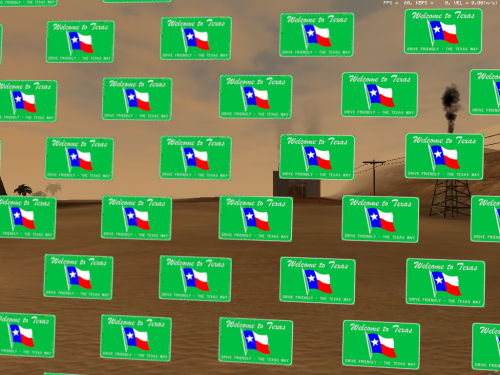 Just like the previous one, but the signs are on the other sides. Copy the two .dds files to APB (3.6)'s Data directory (C:\Program Files (x86)\W3D Hub\games\apb\data or C:\Program Files (x86)\W3D Hub\games\apb\release\data) or wherever you have it installed. Enjoy!
-
View File Tank_killer's custom caution boundaries Copy the two .dds files to APB (3.6)'s Data directory (C:\Program Files (x86)\W3D Hub\games\apb\data or C:\Program Files (x86)\W3D Hub\games\apb\release\data) or wherever you have it installed. Enjoy! Submitter Tank_Killer Submitted 09/21/2021 Category Custom Textures
-
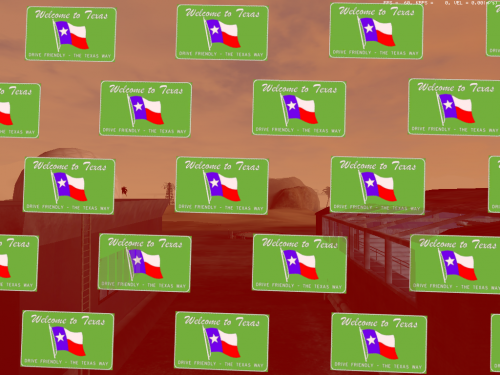 Copy the two .dds files to APB (3.6)'s Data directory (C:\Program Files (x86)\W3D Hub\games\apb\data or C:\Program Files (x86)\W3D Hub\games\apb\release\data) or wherever you have it installed. Enjoy!
-
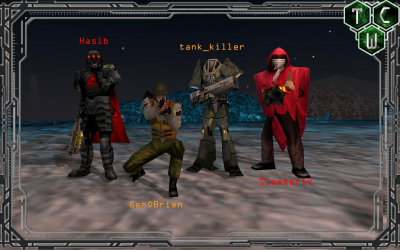
Circa 2012
-
Can't wait to mess around in CWC @ CMDBob , it looks great. Also, Pogo makes some really good mixes.Did you try all available options? Or just the regedit?So, following what LeonardMT told me while I was on his server, it seems that having any VM stuff running, the server ties to the VM IP address and not your own. Tested and confirmed with my own PC since I'm running VirtualBox, too.
 So, even with firewall disabled, both Asterisk and the server application running in admin mode, A/V disabled and connecting to my LAN IP. I still can't connect to it hosted locally. I've tried every port in the server config and it just doesn't wanna do the thing. Tried connecting with Wife's computer, does not work either. Still get the same errors.I'm trying it myself on my PC, I can't connect either, but it doesn't generate any message in the server screen, just says "Failed to connect" so even hosted local doesn't quite work out. Give me a little bit here, I'll try some things on my end to see if I can't get it running, you're using the Asterisk tool too, right? Admin mode?Dynamic IP's are a pain, but it shouldn't be a problem unless it's shifting all the time. Then you'd need to set it to a fixed. But that shouldn't be too much of a problem since I assume you're trying to connect on the same PC.