All Activity
- Past hour
-

Tiberian Sun: Reborn 2.1.1 Update & Future Announcement
cyberarm replied to Killing_You's topic in Tiberian Sun: Reborn
Do you have a screenshot of this? - Today
-

Tiberian Sun: Reborn 2.1.1 Update & Future Announcement
Timeaua replied to Killing_You's topic in Tiberian Sun: Reborn
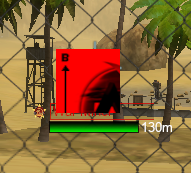
Nice to see more content. Unfortunately since v2.1.1 the UI doesnt show the healthpoints. -
 Greetings, one and all! We've just released update 2.1.1 for TSR to the public, and it should be available for download right now! This update is little more than an engine update to fix some crashes that were happening with lower end PCs and the spectator mode. In addition, by popular community request, we've also added some chat sounds! These were pulled directly from Tiberian Sun and Firestorm itself, along with a few extras voiced in-house! This will bring some extra fun to the games, while remaining on brand with Tiberian Sun itself! The list is as follows: You may be wondering why there's no balance changes this time around, and that's completely fair! Truth is, we're in the early stages of a major balance rework, and we felt that you guys deserve better than half-measures in the interim. In that vein, we'd like to officially announce that the next version of TSR will be 2.2! The goals of this update can be summed up as "Units Old, Units New, Features Borrowed, Tiberium Blue*." Some of the details of this have already been mentioned publicly, but if you missed them, fret not! We'll be keeping you in the loop as development proceeds, as we're excited to show you how the battlefield of the Second Tiberium War is set to change forever! Until then, see you on the battlefield! *NOTE: The "Tiberium Blue" part was just to complete the rhyme. At this point, we're not promising the implementation of explosive blue Tiberium... yet. Our abilities grow by the day, and it is a big possibility for the future!
 -
 SWIPER joined the community
 -
 fortunetigerdemo joined the community
 -
 joaqbdia joined the community
 -
 obfbkpha joined the community
 -
 nubtziau joined the community
 -
 especfbm joined the community
 -
 mqhubzjr joined the community
 -
 cpmmwmxr joined the community
 -
 ngtnffpe joined the community
 - Last week
-
 SavageWolf changed their profile photo
 -
Hi FRAYDO. I know I made a post about changing my name a while back. Is there a chance I can still change it or do I need to remake a new email to have a different name. I joined the W3D Discord server as well. Reach out to me asap when you get this msg. Thanks
-
Game Night Battle for Dune: War of Assassins Game Night
cyberarm posted an event in Community Events
until -
 Loco changed their profile photo
 -
until
-
until
-
until
-
until
-
until
-
until
-
until
-
 333okgg changed their profile photo
 -
 Я прям самы самый начинающий пользователь Linux. Во всем мне помогал Gemini
 -
Bazzite OS is an immutable Linux distro, so file paths and permissions are different from standard SteamOS. On Bazzite, PortProton or Wine prefixes are usually located in user-specific container folders (e.g., `~/.var/app/...` or `~/.local/share/...`), meaning hardcoded paths like `/home/deck/...` won't work out of the box. ### Why I used PortProton & How to find your working setup: 1. **Easy Prefix & Runner Management:** I chose PortProton because it allows you to quickly create/configure Wine prefixes (like `DOTNET`) and switch between different Proton/Wine builds with a few clicks. 2. **How I found the working combination:** - First, I installed the Native Linux W3D Hub Launcher and downloaded the game (e.g., Tiberian Sun / Renegade). - Before tying everything to the launcher, I tested launching the game's `.exe` directly inside PortProton. - I experimented with different Proton versions and prefix settings until I found the exact combo that ran the game smoothly without bugs. - Once I had that working combination, I took its prefix path, DXVK environment variables, and Proton binary path, and put them into the `mywine.sh` script. - Finally, I pointed the Native W3D Hub Launcher settings to execute `mywine.sh`. ### How to adapt this for Bazzite + GTX 10xx (Pascal): 1. **Find your actual paths:** Open Konsole in Bazzite and check where your PortProton installation and prefixes actually live. Update the paths in `mywine.sh` accordingly. 2. **Test direct `.exe` launching first:** Use PortProton to directly test your game's `.exe` first. On GTX 10xx (Pascal), some Proton/DXVK builds might crash due to driver quirks. Find the Proton build and prefix settings that work for your GPU. 3. **Write your script & link it:** Once the game runs fine standalone, put those specific paths/settings into `mywine.sh`, make it executable (`chmod +x mywine.sh`), and set `/path/to/mywine.sh` in the Native W3D Hub Launcher settings.
- Earlier
-
 Well it's been another bunch of busy months and much to my surprise PC Gamer UK & US decided to publish a special report on my Civ2 Heroes 2 mod (posted earlier in this thread) and also covered my other Civ2 modding work such as the CnC scenario above and my up and coming Red Alert 2, Dune 2, and Sid Meier's Alpha Centauri scenarios for Civ2. So I guess I better hurry and release another mod below heh! This time is another big one, the Red Alert 2 Siege of New York scenario! :) RA2 Final Dev Diary 07 – Sounds, Videos, GUI, Diplomacy & more for the Civ2 C&C Red Alert 2 Scenario: In this final seventh dev diary we overhaul and finalise all the sound effects, videos, GUI colours & backgrounds, diplomacy, and city building icons with RA2 assets. https://www.moddb.com/mods/civilization-2-red-alert-2-siege-of-new-york-scenario/news/final-dev-diary-07-sounds-videos-gui-diplomacy-more-for-the-civ2-red-alert-2-scenario . RA2 - Civilization 2 Red Alert 2 Siege of New York Scenario Release: Yes I’m finally also releasing my C&C Red Alert 2 Siege of New York Scenario for Sid Meier’s Civilization II Gold (MGE). This project was a rather ambitious attempt to recreate and expand upon the first Allied siege of New York mission from Red Alert 2 using assets from RA2 and some of the best fan projects out there, all entirely within Civ2! https://www.moddb.com/mods/civilization-2-red-alert-2-siege-of-new-york-scenario/news/civ2-red-alert-2-scenario-release
 -
.thumb.png.f5922926ffe794e20b531c85ddc9fbb1.png) yunxiaoappnet1 changed their profile photo
yunxiaoappnet1 changed their profile photo -
 ck444poker1 changed their profile photo
 -
.thumb.png.669037e7f2eac0f16ad90ed63df8563e.png) mxn777orgmx changed their profile photo
mxn777orgmx changed their profile photo -
 cv666poker changed their profile photo
 -
 can we get a version for Bazzite 10xx pascal? yes it has vulkan but most of the steps in this tutorial don't work on bazzite, and I am trying to get into the point of being able to play with my friends on renegade
 -
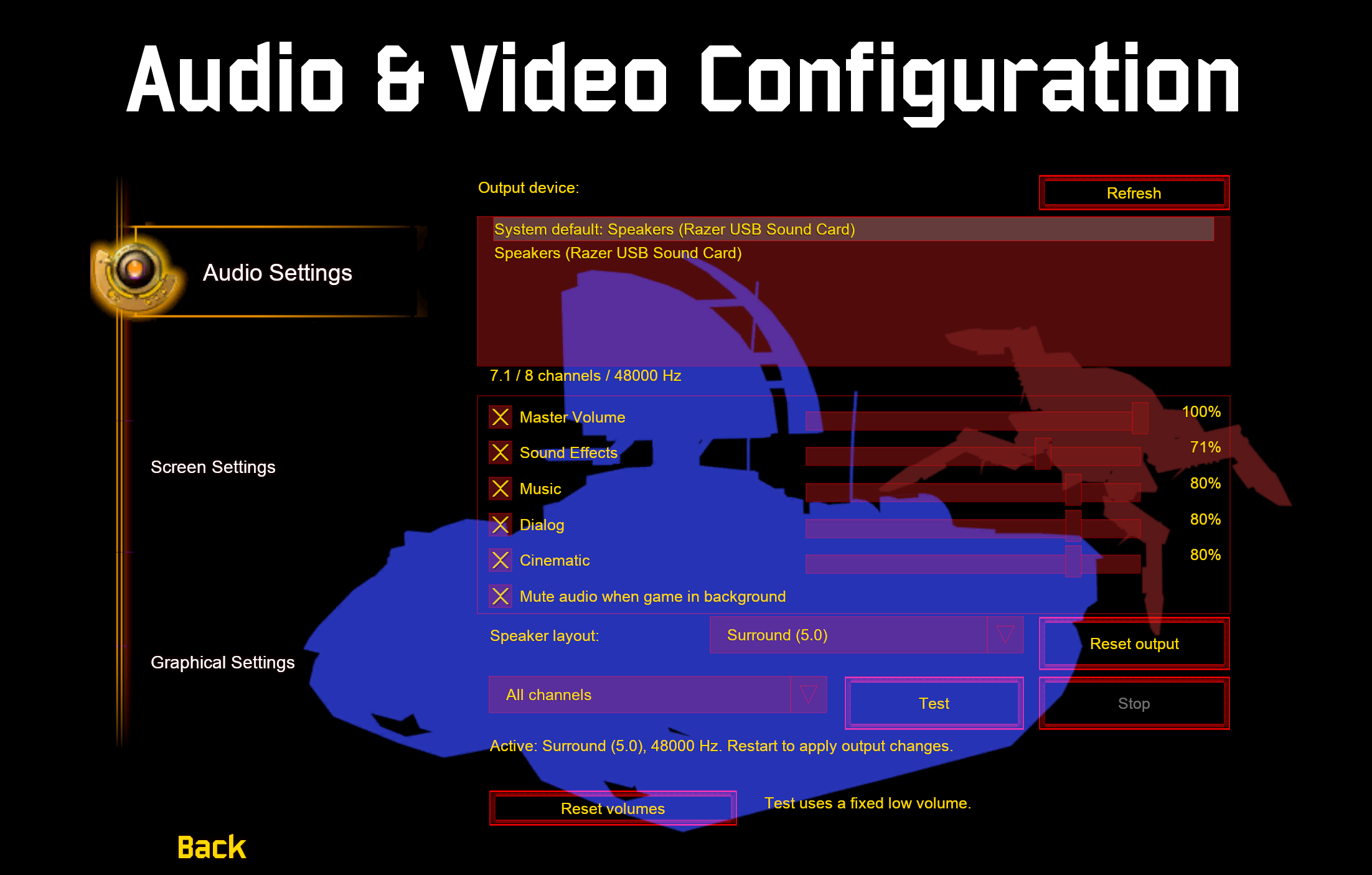
Hi everyone, here's another small update for AR. We're still on a bit of a development hiatus at the moment, but there was a showstopping crash that was affecting some of you out there, so we've decided to push a small patch to address that and also add some quality of life improvements. Take a read below to see what's in this update! Update 0.9.0.15 The changelog for update 0.9.0.15 is below: That's all folks! Head over to the discord for all of out latest updates. Please leave your feedback on Discord as always. - @ OWA, @ moonsense715 and the AR Dev Team
-
Yea. TheGh0stShip/RenegadeVita: Evidence-led native ARM PlayStation Vita source port of Command & Conquer: Renegade.
-
That isn't how the GPL3 license works, you have to provide source code for any modifications you distribute and you are now distributing one.
-
Totally the plan as soon as I can push it a bit further. My dev workspace is a mess and I don't want to accidentally commit something that will haunt me like .env or something stupid. I've put up the original M00 Tutorial as a functional demo here - TheGh0stShip/Renegade-Vita-Demo: Native Renegade Vita M00 Tutorial demo: setup guide and Dev134 VPK
-
 v79today1 changed their profile photo
 -
Oh dang, that's kinda neat! Nice share.
-
untilIt's a game night!
-
Git repo? I don't see your work in the fork network of the EA release and I normally keep an eye on that for any useful developments for OpenW3D.
-
Вот как я решил свой вопрос. Может кому то пригодится. [Guide] Launching W3D Hub Games on Steam Deck via Native Launcher + PortProton Script This guide explains how to hook the Native Linux W3D Hub Launcher directly to PortProton's Wine/Proton binary using a lightweight runner script, allowing you to launch games like Apocalypse Rising with full DXVK hardware acceleration. Prerequisites: - Steam Deck in Desktop Mode - PortProton installed on your system (specifically using the DOTNET prefix and PROTON_LG_10-28 binary runner) Step 1: Create the Runner Script (mywine.sh) 1. Open a text editor (Kate or KWrite). 2. Paste the custom launch script (configured specifically for PortProton's DOTNET prefix and PROTON_LG_10-28 build): #!/bin/bash export WINEPREFIX="/home/deck/PortProton/data/prefixes/DOTNET" # Enable DXVK (Vulkan translator from PortProton) export WINEDLLOVERRIDES="dxgi,d3d9,d3d11,d3d10core=n,b" exec /home/deck/PortProton/data/dist/PROTON_LG_10-28/bin/wine "$@" 3. Save the file as mywine.sh (e.g., /home/deck/mywine.sh). 4. Make the script executable via Konsole: chmod +x /home/deck/mywine.sh Step 2: Configure the Native W3D Hub Launcher 1. Open the Native Linux W3D Hub Launcher. 2. Go to Settings / Game Options. 3. In the engine wrapper / custom executable parameter field, set the path to your script: /home/deck/mywine.sh 4. Save settings. When launching a game or joining a multiplayer server, W3D Hub will pass all necessary arguments ("$@") directly to mywine.sh. Step 3: Add Launcher to Steam & Controller Setup 1. Open desktop Steam -> Add a Game -> Add a Non-Steam Game... and select the native W3D Hub Launcher executable. 2. Return to Gaming Mode. 3. In Controller Settings, select the Keyboard (WASD) and Mouse template. 4. Set the Right Stick/Trackpad to Joystick Mouse / Mouse, and configure Gyro as Mouse (activated on L2 hold) for precise aiming.
-
 Not sure, 1. I would ask Dblaney1 on discord. He managed to get it (interim Apex) running on Steam Deck. If you send him a msg he could probably help out. 2. I would try asking ChatGPT. Can probably resolve it with that if you’re having trouble. sorry I couldn’t have been more help.