September 6, 201511 yr A new TSR update was pushed. See the full news post for more information. Also: Something Else. Hey everyone. Within a day or so, you should see an update to TSR pop up on the launcher. This patch is designed to fix the issues that have cropped up after the last week or so of gameplay. Thanks to everyone who posted about these issues either in the bug tracker, the forums, or in-game as I was playing with you guys. Here is a changelog: Known Bugs: EVA unit ready voiceovers still not working (probably a scripts bug, but Jonwil is sick so he can't do much) CABAL time remaining voices on GDI team (My fault, but didn't have time to fix it this time) MSG does not work on TS_Snow (Snow cut from server rotation until I can get the new Snow in-game) Changelist: GDI Ion Ammo replaced with AP Ammo Medic Healing rate nerfed from 12.5 hp/s to 8.5 hp/s Updated to scripts build b7049 (Should fix animation issues and a few scripts bugs) Finally fixed No String issues with Obelisk and MKII Enforcer nerfed against buildings and MCTs Buffed Cyborg Commando damage Default Damage: 140 --> 175 Splash Damage: 50 --> 75 Buffed disk thrower against vehicles Added new "Siege" Alternate Fire Mode for HMRLS (Replaces hit-and-miss AA firemode) The patch is awaiting authorization, but when it gets pushed, it will appear on the launcher. The server will be updated as well when it is pushed. Something Completely Different Hmm, I wonder what it could be? I guess you will need to wait for the next update for more information!
September 6, 201511 yr Just a small note that there was a floating component tower by the GDI WF towards the tib field on Crossroads. Not sure why, but I saw one still floating in the air yesterday.Also, thanks a lot for doing your best to keep the game stable and updated with the new changes. I'm sure everyone really appreciates it!
September 6, 201511 yr You should probably indicates what the difference between ion ammo and ap ammo actually is, it's meaningless without some numbers to clarify
September 6, 201511 yr I wanted to upload my maps today. When this small patch arrives, do i have to reupdate my maps again? Because of scripts changes and so on
September 6, 201511 yr Author With the armor.ini changes, you should wait. Otherwise we will get insta-kill component towers in your map.
September 6, 201511 yr Finally fixed No String issues with Obelisk and MKII THERE ARE NO STRINGS ON ME! *runs away*
September 7, 201511 yr Awesome. Lots of good stuff here. And thats a good pic delta, where did you come across that?
September 7, 201511 yr CNCNZ have been (not sure if they still do) using it for years as one of their header pictures. It's a fantastic image of the Mammoth Mark II! Nice change log, some of it was very much needed!
September 7, 201511 yr And thats a good pic delta, where did you come across that? You have it as a rare very high resolution image on Eric Gooch's website (Seth ) right here along with many other renders and concepts. There's a whole Tiberian Sun archive on his site. Just look under Mammoth pictures to find the big wallpaper delta posted.
September 7, 201511 yr Awesome. Lots of good stuff here. And thats a good pic delta, where did you come across that? I just got it off the C&C wiki...right here. Anyway, I thought that picture was pretty old and that everyone's seen it.
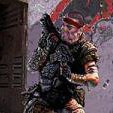
September 10, 201511 yr The map that is in the picture with a light inf looks like Storm, but in a day light. There is also a tunnel in front of the light inf. Idk what that means, new map or better movement for inf?
September 10, 201511 yr The map that is in the picture with a light inf looks like Storm, but in a day light. There is also a tunnel in front of the light inf. Idk what that means, new map or better movement for inf? Its a remake of the map C&C_Dust from the Reborn 2003 beta, made by DarkAngel.


Join the conversation
You can post now and register later. If you have an account, sign in now to post with your account.
Note: Your post will require moderator approval before it will be visible.